[K8S Deploy Study by Gasida] - Ansible 기초 - 조건문
조건문
앤서블은 조건문을 사용하여 특정 조건이 충족될 때 작업 또는 플레이를 실행할 수 있다. 예를 들면 조건문을 사용하여 호스트의 운영체제 버전에 해당하는 서비스를 설치하는 식이다.
조건 작업 구문 : when 문은 조건부로 작업을 실행할 때 테스트할 조건을 값으로 사용
- 조건이 충족되면 작업이 실행되고, 조건이 충족되지 않으면 작업을 건너뜀
- when 문을 테스트하는 가장 간단한 조건 중 하나는 Boolean 변수가 true인지 false인지 여부이다.
1
2
3
4
5
6
7
8
9
10
11
12
13
14
---
- hosts: localhost
  vars:
    run_my_task: true

  tasks:
  - name: echo message
    ansible.builtin.shell: "echo test"
    when: run_my_task
    register: result

  - name: Show result
    ansible.builtin.debug:
      var: result
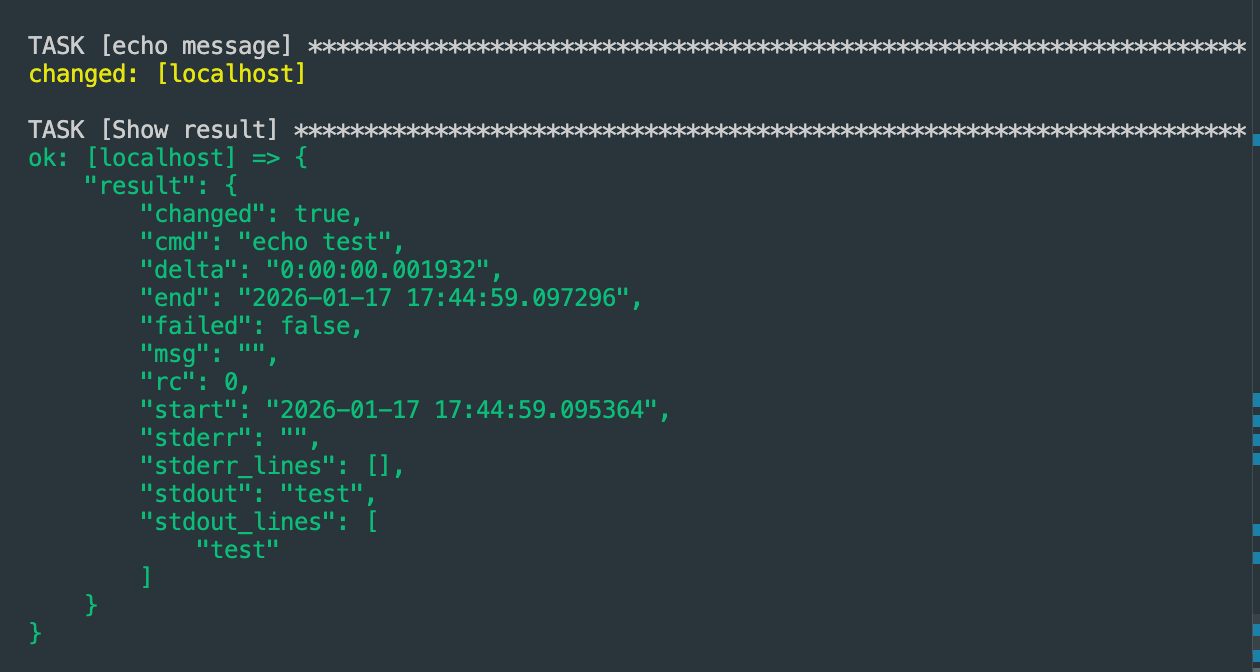
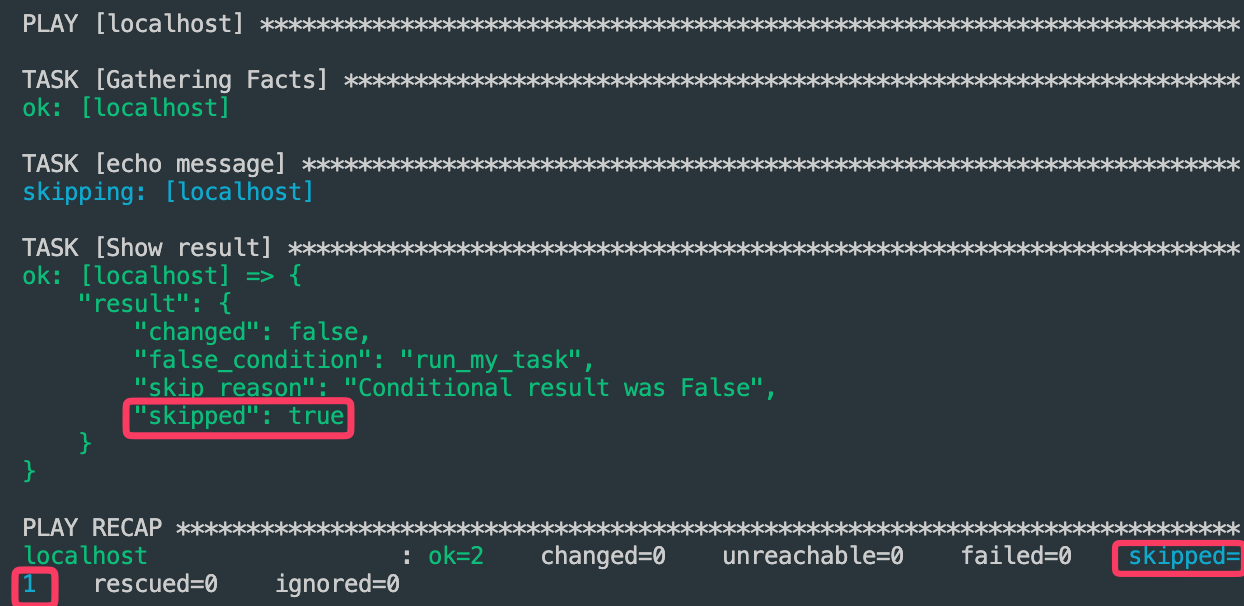
run_my_task 값을 false 수정후 실행 확인
1
2
3
4
5
6
7
8
9
10
11
12
13
14
---
- hosts: localhost
  vars:
    run_my_task: false

  tasks:
  - name: echo message
    ansible.builtin.shell: "echo test"
    when: run_my_task
    register: result

  - name: Show result
    ansible.builtin.debug:
      var: result
복수 조건문
when 문은 단일 조건문 뿐만 아니라 복수 조건문도 사용가능하다
예를 들어 CentOS이고 서버 타입이 x86_64일 경우에만 작업이 실행되게 구성할 수 있다.
- CentOS 이거나 Ubuntu일때 작업실행 ```bash —
hosts: all
tasks:
- name: Print os type ansible.builtin.debug: msg: “OS Type “ when: ansible_facts[‘distribution’] == “CentOS” or ansible_facts[‘distribution’] == “Ubuntu” ```
- Ubuntu이고 버전이 24.04일때 작업실행 ```bash —
hosts: all
tasks:
- name: Print os type ansible.builtin.debug: msg: >- OS Type: OS Version: when: ansible_facts[‘distribution’] == “Ubuntu” and ansible_facts[‘distribution_version’] == “24.04” ```
- 사전 형태의 목록으로 표현하는 방법도 있음
1
2
3
4
5
6
7
8
9
10
11
12
---
- hosts: all

  tasks:
    - name: Print os type
      ansible.builtin.debug:
        msg: >-
             OS Type:
             OS Version:
      when:
        - ansible_facts['distribution'] == "Ubuntu"
        - ansible_facts['distribution_version'] == "24.04"
- and와 or연산자를 동시에 사용
1
2
3
4
5
6
7
8
9
10
11
12
13
14
15
---
- hosts: all

  tasks:
    - name: Print os type
      ansible.builtin.debug:
        msg: >-
             OS Type:
             OS Version:
      when: >
          ( ansible_facts['distribution'] == "Rocky" and
            ansible_facts['distribution_version'] == "9.6" )
          or
          ( ansible_facts['distribution'] == "Ubuntu" and
            ansible_facts['distribution_version'] == "24.04" )
ansible.builtin.command 모듈
- when 문의
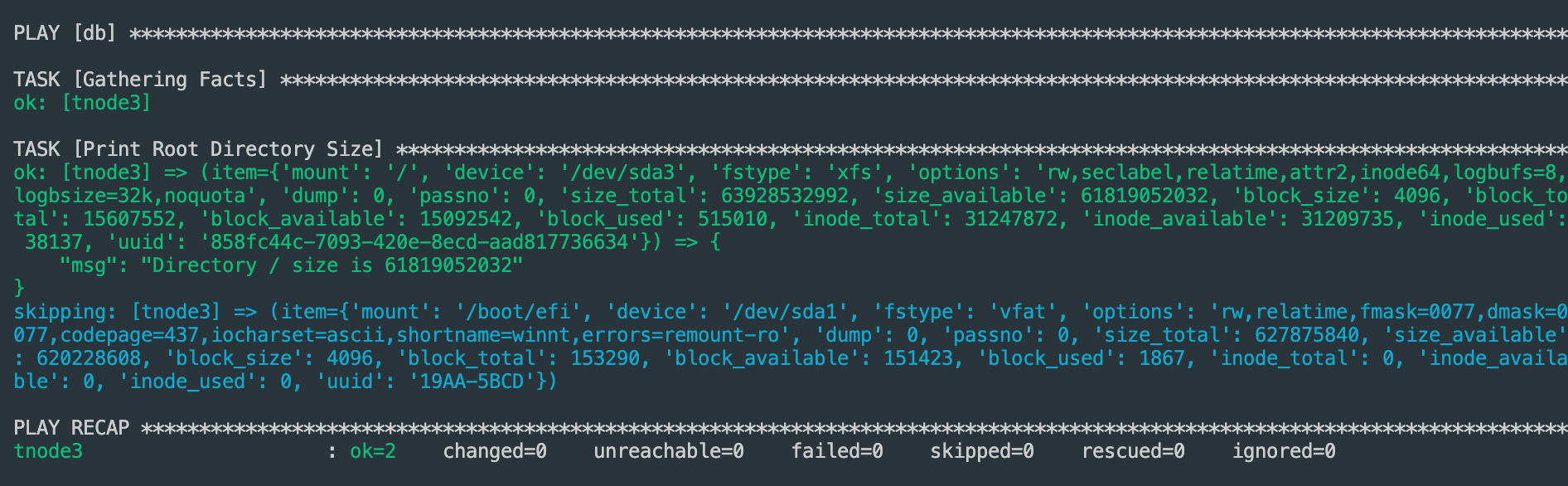
item[’mount’]은 loop문에서 선언한ansible_facts의mounts중mount값과size_available값을 사용해 구현한다. - 앤서블 팩트에서 mounts라는 사전 타입의 변수값을 반복하면서 mount가 ‘/’ 이고 size_available 값이 ‘300000000’(300메가)보다 큰 경우에만 메시지를 출력하고, 그렇지 않을 경우에는 작업을 건너뛴다.
1
2
3
4
5
6
7
8
---
- hosts: db
  tasks:
    - name: Print Root Directory Size
      ansible.builtin.debug:
        msg: "Directory  size is "
      loop: ""
      when: item['mount'] == "/" and item['size_available'] > 300000000
반복문 뿐만아니라 register 키워드로 작업 변수도 사용할 수 있다.
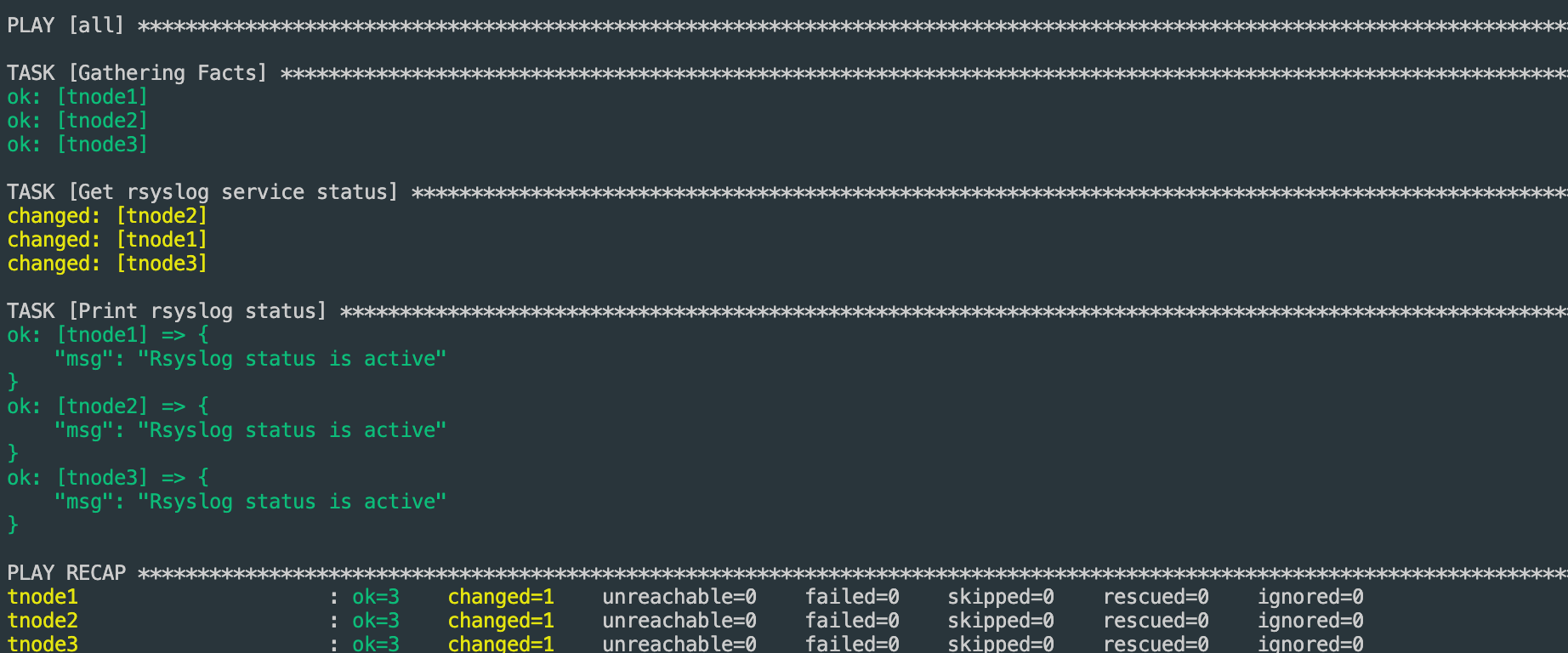
- result값을 저장하여 stdout값이 active일때만 실행
1
2
3
4
5
6
7
8
9
10
11
12
---
- hosts: all

  tasks:
    - name: Get rsyslog service status
      ansible.builtin.command: systemctl is-active rsyslog
      register: result

    - name: Print rsyslog status
      ansible.builtin.debug:
        msg: "Rsyslog status is "
      when: result.stdout == "active"
이 기사는 저작권자의 CC BY 4.0 라이센스를 따릅니다.